
Built for Speed. Designed for Customer Comfort.

Smart Tableside
Ordering

Increased Average
Order Value

Seamless Tableside
Payments

Real-Time Menu Sync
Across Devices
Do More With Tablet POS
Rush hours shouldn’t mean staff stuck around a fixed POS. With a true handheld POS system, your team can take orders and payments anywhere.

Why More Restaurants Are Switching to Order Taker
Whether you’re running a 200-location QSR or a single neighborhood café, a OrderTaker fits right in.

What makes it better?
Works on iPad, Android, or Windows devices
Even brand-new staff are productive on Day 1
Real-time syncing with your kitchen tech stack
Smart support for modifiers and special requests
How Order Taker Works (Without Adding Extra Complexity)
Everything connects. Nothing slows you down.
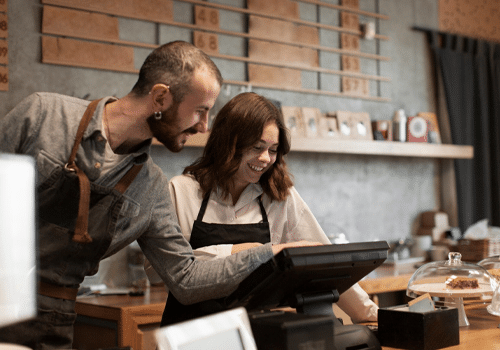
A server takes the order on a tablet POS
The kitchen gets to work while your guest gets the best experience possible

Seamless Tableside Payments
Always-Up-to-Date Menus
Flexible Deployment

Why Choose Order Taker
Designed for staff-friendly, fast service anywhere
Reduces human error with direct kitchen sync
Speeds up payments at the table, counter, or curbside
Part of our restaurant automation ecosystem subscription
Works without locking you into a specific hardware brand or model
Ready to Speed Up Service with Tablet Ordering?
Frequently Asked Questions
What is table side ordering ?
This helps improve order accuracy, speed up service, and create a smoother dining experience for both guests and staff.
What systems do restaurants use to take orders ?
– Handheld POS devices for tableside ordering
– Traditional POS terminals at counters or service stations
– Self-service ordering kiosks
– QR code ordering systems
– Tablet ordering systems
– Online ordering and 3rd party food delivery apps like Uber Eats and DoorDash
Many modern restaurants combine several of these tools into a connected ecosystem, so orders flow automatically from the guest to the kitchen without manual entry.
What is a tablet menu ordering system ?
Unlike traditional ordering, customers do not need to wait for a server to take their order. This can help reduce wait times, improve order accuracy, and increase operational efficiency, especially in high-volume restaurants.
What is a QR code ordering system for restaurants ?
Modern QR ordering solutions go beyond displaying menus. They can integrate with POS systems, kitchen displays, loyalty programs, and customer databases to create a fully connected ordering experience.
How much does a restaurant ordering kiosk cost?
Typical hardware costs include:
Tablet-based kiosks: $700–$2,000
Floor-standing kiosks: $2,500–$5,000
Outdoor kiosks: $4,000–$15,000+
Plus providers also charge ongoing software subscription fees that typically range from $20–$100 per month per kiosk, in addition to payment processing fees.
With TechRyde, kiosk software is included as part of the complete restaurant operations platform for a flat $150 per month. Operators gain access to using this for mutiple kiosk terminals